AI Defect Detection in Construction: A Practical Guide
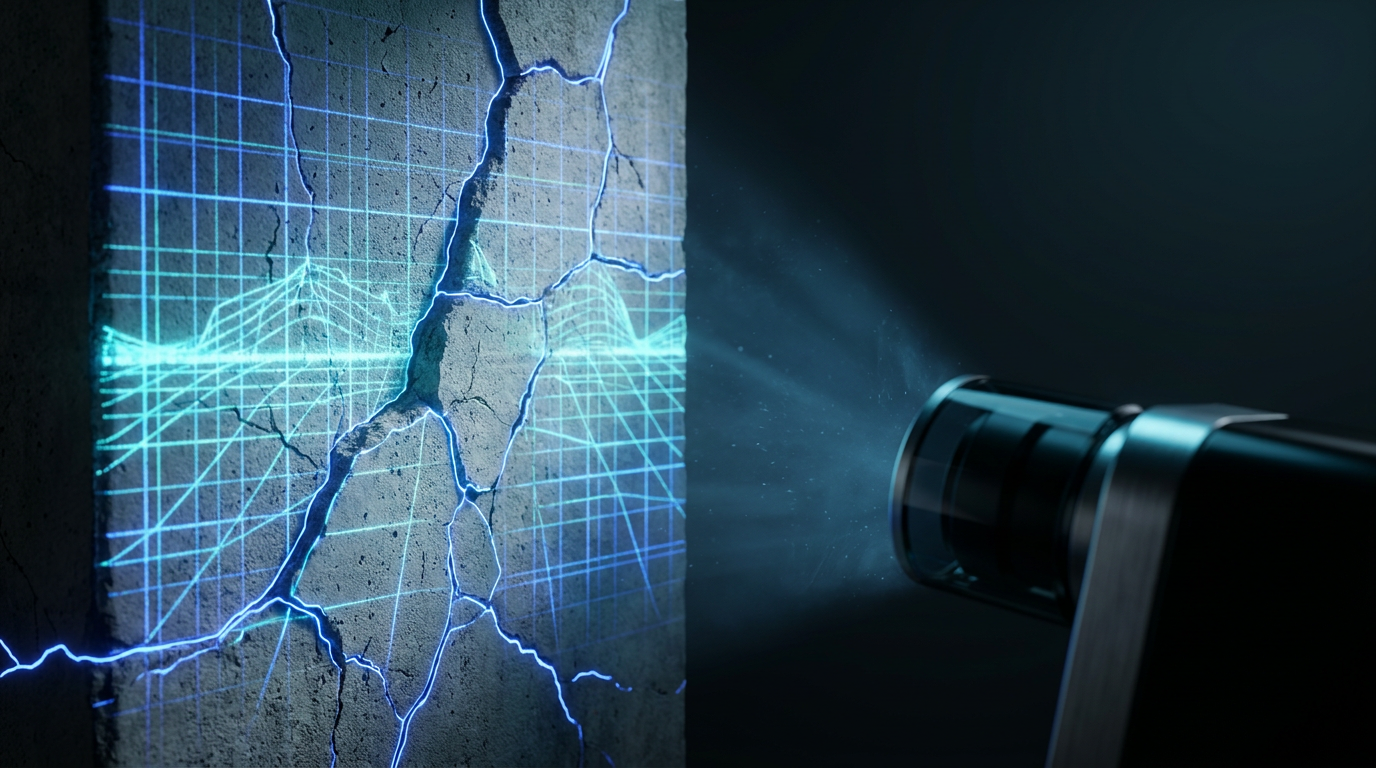
Construction rework eats up to 30% of project value. See how AI defect detection screens site photos at 85-92% accuracy and catches issues before they get expensive.
AI Defect Detection in Construction: A Practical Guide
Most defects don't get found at the right time. They surface during the final snag walk, during a client inspection, or after handover when the repair bill lands on your desk. According to McKinsey Global Institute, poor quality and rework account for up to 30% of construction project costs globally. That number stays high not because site managers are careless, but because traditional inspection methods were never designed to catch problems early at scale.
AI defect detection changes the timing. Photos taken during routine site activity are analysed in real time, flagging quality issues before they're buried under the next trade's work. This guide explains how the technology works, where it delivers genuine value, and how to fit it into a real site workflow without disrupting what already functions. It starts with how site photos are captured and submitted.
What Is AI Defect Detection in Construction?
AI defect detection in construction uses computer vision models trained on thousands of site photos to identify anomalies in new images automatically. According to a 2023 review in Automation in Construction, deep learning models can detect surface cracks and concrete defects with accuracy rates between 85% and 92% under controlled conditions. The system doesn't replace human inspection. It acts as a fast first pass, surfacing candidates for the site manager or QA engineer to review and confirm.
The core process has three steps. A photo is taken on-site and submitted to the platform. The AI model analyses pixel patterns against its training data, looking for signatures of known defect types. It returns a flagged result with a confidence score, which a human then accepts, dismisses, or escalates. The human judgment step is non-negotiable and important to understand before you set expectations with your team, which is easier once you know AI inspection reports and how they're generated.
Why Does Traditional Defect Detection Fail Site Managers?
Traditional defect detection fails primarily because of timing. A 2022 CIOB report found that 52% of construction professionals identify quality issues only at or after the inspection stage, well past the point where remediation is straightforward. By then, defects have often been covered by subsequent work, turning a simple fix into a demolition-and-rebuild event. The inspection process itself isn't broken; the trigger for inspection is too late.
Paper-based checklists compound the problem in three ways. First, they rely entirely on human memory during a walk-through that covers dozens of elements in limited time. Second, they produce static records that can't be cross-referenced with photo evidence without manual effort. Third, they create no institutional memory: when a QA engineer leaves the project, their pattern recognition for recurring defects leaves with them.
The volume problem matters too. A typical mid-size GCC project generates hundreds of site photos per week across multiple trades. No QA team has the bandwidth to screen all of them for quality issues. Most photos are taken for progress documentation and never reviewed with a quality lens at all. That's where AI inspection adds genuine value: it can screen the full photo set, not just the ones a human had time to look at, and it pairs naturally with a construction safety and quality documentation checklist.
How Does AI Analyse Construction Photos for Defects?
AI construction defect detection software works by applying convolutional neural networks (CNNs) to site images, which are a class of deep learning model specifically effective at pattern recognition in visual data. A 2024 paper in the Journal of Construction Engineering and Management found that CNN-based models trained on labelled construction datasets outperformed traditional image processing methods by 23 percentage points on defect recall rates. In plain terms: the model has seen thousands of examples of what a honeycombed concrete surface looks like, and it matches new photos against that learned signature.
The model doesn't "understand" construction. It identifies pixel patterns that correlate with defect labels in its training data. That's both its strength and its limitation. It's extremely fast and consistent, it won't miss something because it's tired at the end of a long shift. But it can only flag what it was trained to recognise, and it can be confused by unusual lighting, extreme camera angles, or surface conditions it hasn't seen before.
Photo quality drives output quality more than any other variable. A blurry, back-lit photo taken three metres from a wall will produce unreliable results. A close-up, well-lit shot of the specific element under review will produce reliable ones. This is why training your site team on consistent photo capture habits matters as much as choosing the right AI tool.
What Can AI Defect Detection Actually Detect?
AI site inspection is genuinely effective at detecting visible surface defects. Research published in Automation in Construction confirms reliable detection for concrete surface cracks (including width classification), spalling, honeycombing and blow holes, exposed rebar, delamination, and misaligned or missing elements in repetitive structural patterns such as rebar grids and block coursing. These are high-value catches because they're easy to miss in a fast visual walk-through and expensive to fix once covered.
In our experience working with GCC contractors, the defect category most frequently flagged by AI that would otherwise be missed is surface cracking in concrete elements photographed during progress documentation, not during a quality inspection. The photo was taken to show pour progress, but the AI caught a crack that no one was looking for. That single category represents a meaningful shift in what "inspection" actually covers on a busy site.
What AI cannot do is equally important to state clearly. AI cannot assess structural integrity, bearing capacity, or subsurface conditions. It cannot tell you whether a crack is cosmetic or load-bearing. It cannot evaluate weld quality below the surface, waterproofing membrane continuity under screed, or MEP installation tolerances without visual exposure. Any AI tool that implies otherwise is overstating its capability.
The most effective framing for site managers is this: AI handles the volume problem, humans handle the judgment problem. AI screens everything fast; your QA engineer confirms, dismisses, and decides what the flag means. When teams understand that division of responsibility clearly, adoption resistance drops significantly.
How Do You Integrate AI Defect Detection into a Real Site Workflow?
Effective AI defect detection integration follows a five-step approach that preserves your existing inspection structure while adding an AI screening layer — building on the foundation described in the guide to automating construction inspections end-to-end. According to Dodge Construction Network's 2023 SmartMarket Report, contractors who integrated AI tools incrementally into existing workflows reported 40% higher adoption rates than those who attempted full workflow replacement. The incremental approach works because it doesn't ask teams to abandon what already functions.
Step 1: Define Your Photo Capture Protocol
Before you activate any AI tool, establish how photos will be taken. Set minimum requirements: distance from the element, lighting condition, labelling convention (location code, date, trade). Consistent input produces consistent AI output. This step takes a half-day briefing and a one-page reference card for the site team.
Step 2: Start with One Trade and One Defect Category
Don't try to capture everything at once. Pick the trade with the highest historical defect rate on your site, or the defect category with the most expensive rework history. Concrete works and masonry are common starting points because defects are visible, well-represented in training data, and costly to remediate late.
Step 3: Route Flagged Photos to a Named Reviewer
Every AI flag should go to a specific person, not a group inbox. Assign a QA engineer or site manager to review flagged items daily. Set a review window, 24 hours is realistic, so flags don't accumulate. Clear ownership prevents the common failure mode where alerts pile up unreviewed and the team stops trusting the system.
Step 4: Close the Loop in Writing
When a flag is reviewed, the outcome should be recorded: confirmed defect with remediation action, dismissed as non-issue with reason, or escalated to a specialist. This creates the audit trail that protects you in disputes. It also builds a project-specific dataset that improves the relevance of AI flags over time.
Step 5: Expand Trade by Trade
Once the first trade type is running smoothly, add the next. Most teams find that after three trade types are covered, photo capture becomes a site habit rather than an extra task. At that point, the AI layer is doing meaningful quality work across most of the project, feeding naturally into automating construction progress reports.
How Does Banamind's AI Inspection Work?
Banamind's AI inspection feature is built specifically for GCC contractors who manage sites through WhatsApp. The workflow is designed around how site teams already communicate, not around how enterprise software expects them to work. Site teams submit photos via WhatsApp during their normal activity: progress updates, daily reports, trade handovers. The AI analyses those photos and flags potential defects without requiring any additional apps, logins, or hardware on-site.
Flagged items appear in the project dashboard with the relevant photo, the AI's confidence score, and the location tag. The site manager or QA engineer reviews flags from the same interface used for daily reports. When a defect is confirmed, a structured inspection report is generated automatically, including the photo, location, trade responsible, and timestamp. That report meets documentation standards for FIDIC contracts and third-party engineer review.
The system doesn't require a BIM model, a dedicated QA software licence, or an IT rollout. A site of any size can be running within hours. The limitation to be clear about: Banamind's AI flags candidates for human review; your site engineer makes the final determination on every flag. The AI is a screening layer, not a sign-off mechanism.
"The pattern I've seen repeatedly across GCC projects is that the defect wasn't unknown; it was untimed. Someone on-site noticed the crack or the poor concrete finish, took a photo for their own records, and didn't flag it because they weren't sure it was their job to raise it. When AI screens those photos systematically and routes flags to a named reviewer, those informal observations turn into formal records. The defect gets addressed in days, not discovered at snag stage months later. That's the actual value: not that AI sees more than humans, but that it processes what humans already captured and didn't act on." - Viacheslav Muliukin, Founder & CEO, Banamind
Making the Case to Your QA Team
Adoption resistance is real and worth addressing directly. A 2023 Autodesk and Dodge survey found that 44% of construction professionals cite team resistance as the primary barrier to technology adoption on-site. The concern is usually not about the tool itself; it's about accountability. If an AI flag is missed, who is responsible?
The answer requires clarity from the site manager before rollout. AI flags are inputs to human decisions, not autonomous judgments. The QA engineer who reviews and dismisses a flag owns that decision. The AI flag is a prompt, not a finding. Framing it this way removes the ambiguity that creates resistance.
We've found that naming the AI layer as a "second set of eyes" rather than a "replacement inspector" consistently reduces resistance during team briefings. The framing acknowledges what the tool actually does, which is process volume that humans can't cover, without implying that human judgment is being downgraded.
FAQ
Can AI detect structural defects in construction photos?
AI can flag visible surface anomalies such as cracks, spalling, honeycombing, and misaligned elements. It cannot assess structural integrity, bearing capacity, or subsurface conditions. Those require a qualified structural engineer's assessment. AI narrows the list of what needs human attention; it doesn't replace the engineer's judgment, which is also why it helps to know what to include in a construction inspection report.
How accurate is AI defect detection in construction?
Accuracy varies by defect type and photo quality. Research published in Automation in Construction found AI models detecting surface cracks with 85-92% accuracy under controlled conditions. Real-world accuracy is lower because site photos vary in lighting, angle, and resolution. The practical value is in volume: AI can screen hundreds of photos far faster than a human team.
Does AI defect detection work on phone photos taken via WhatsApp?
Yes, provided the photos meet minimum resolution and lighting standards. WhatsApp does compress images, but modern smartphone cameras produce files large enough that post-compression quality remains workable for defect screening. The key variable is how the photo is taken: close-up, well-lit shots of a specific element outperform wide-angle, poorly lit site overviews.
How long does it take to set up AI defect detection on an active site?
For tools designed for site use rather than enterprise IT environments, setup typically takes hours, not weeks. The practical timeline depends more on training your team to capture photos correctly than on software configuration. Consistent photo habits, same angle, labeled location, adequate lighting, matter more than the platform itself.
The Bottom Line on AI Defect Detection
The strongest argument for AI defect detection isn't the technology. It's the timing problem it solves. McKinsey's research consistently shows that defects caught during construction cost a fraction of defects found at or after handover: often 10 times less to fix at the point of construction versus post-handover. Any system that moves discovery earlier in the project lifecycle is worth serious evaluation.
AI construction defect detection software doesn't eliminate the need for experienced site engineers. It gives those engineers better inputs: a screened photo set, flagged candidates, and a structured record of every review decision. That's a meaningful upgrade on a paper checklist and a monthly QA walk-through.
Start narrow. One trade, one defect category, one reviewer. Build the photo capture habit first, because the AI output is only as good as the photo input. When that first scope is running well, expand. The teams that get the most from AI inspection are the ones who treated it as a workflow change, not a software installation.
If you want to see how this works in a WhatsApp-native context for GCC projects, Banamind's AI inspection tool is built for exactly that workflow. No new apps. No IT project. Just your site's existing photo activity, screened and structured automatically.
Written by Viacheslav Muliukin, Founder & CEO, Banamind.