How to Automate Construction Progress Tracking in 2026
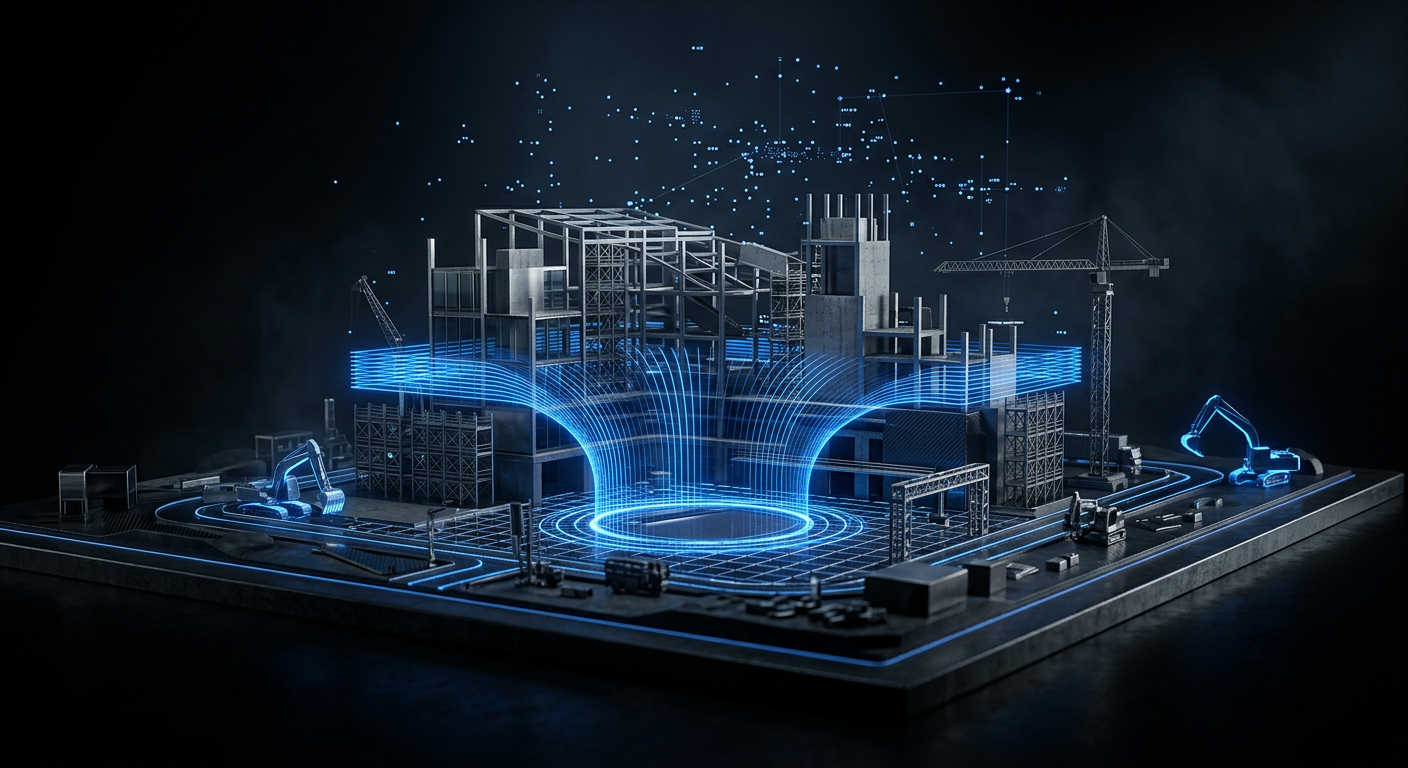
Manual construction progress tracking wastes 6+ hours per week on data collection alone. Here's how to automate it using WhatsApp, photo capture, and AI — without replacing your site team.
The decision to automate construction progress tracking starts with a familiar scene: your site foreman at 5:30 PM, still on the phone chasing four subcontractors for their daily updates. He types the same questions into WhatsApp, waits, follows up, then manually assembles everything into a spreadsheet before it reaches the project director. That routine costs real money, and it happens on nearly every construction site in the GCC every single day.
Manual progress tracking creates information gaps that delay decisions. By the time a report reaches the right desk, the data is already hours old. Concrete pours, rework events, and weather delays slip through because there's no structured capture point. Automating that capture doesn't remove your team's judgment — it removes the mechanical labour surrounding it. For a look at what a complete daily log should include, see what a complete daily log looks like.
Key Takeaways
- Manual tracking consumes 6+ hours weekly per project manager on data collection alone
- Four proven automation methods exist, each with different cost and fit profiles
- WhatsApp-based capture is the lowest-friction option for GCC teams already using the app
- Automation handles data collection and formatting — judgment and dispute resolution still need humans
- ROI shows up fastest in reduced rework and faster decision cycles, not headcount cuts
What Does "Automated Progress Tracking" Actually Mean?
Automated construction progress tracking means replacing manual data collection steps with systems that capture, structure, and route site information without human re-entry. According to McKinsey's Global Infrastructure Initiative (McKinsey, 2017), construction productivity has grown at just 1% annually for the past two decades — far below manufacturing or retail. Poor information flow is a core driver.
What gets automated is the mechanical layer: photo timestamps, location tags, progress percentages, weather logs, and report formatting. What stays manual is interpretation. A site manager still decides whether a 60% complete structural frame is on schedule given the specific subcontractor situation, upcoming inspections, and client expectations. Automation gives that manager clean data faster — it doesn't replace the call.
— "When we implemented WhatsApp-based automated tracking with a Riyadh MEP subcontractor on a commercial development, the biggest time sink wasn't writing reports — it was chasing raw inputs. Messages arrived in fragments across five group chats, photos had no labels, and percentages contradicted each other. Structured capture at the source cut report prep from 3 hours to 18 minutes per day." — Viacheslav Muliukin, Founder & CEO, Banamind For more on how AI turns that kind of raw input into structured data, see how AI handles construction data extraction.
What Are the 4 Main Methods to Automate Construction Progress Tracking?
Four practical methods cover most use cases on active construction sites. They vary significantly in cost, setup time, and fit for GCC conditions — including heat, intermittent connectivity, and large-format sites common across Saudi Arabia, UAE, and Qatar.
1. WhatsApp and Mobile-Based Capture
Mobile-first capture is the most practical starting point for GCC teams. Your crew already uses WhatsApp daily — the question is whether those messages feed into a structured system or disappear into chat history. AI tools can sit between WhatsApp and your reporting layer, extracting location, activity type, percentage complete, and photo metadata from each message automatically.
This approach requires no new hardware and works offline with sync-on-reconnect. Setup time is typically under a day. Cost is low relative to any hardware-based alternative. The tradeoff is accuracy: unstructured messages sometimes contain ambiguous language, and AI extraction needs a feedback loop to improve on your team's specific terminology.
WhatsApp is the dominant field communication tool across GCC construction teams, making it a natural integration point for progress tracking workflows. Routing existing WhatsApp traffic through an AI extraction layer requires no behaviour change from site crews. For guidance on the photo side of this workflow, see photo documentation standards that pair with mobile capture.
2. 360-Degree Camera Systems
Platforms like OpenSpace and Matterport create walkthrough documentation by stitching camera footage into navigable site models. OpenSpace's hardware costs around $500-700 per camera unit, with software subscriptions starting at approximately $400/month per project (OpenSpace, 2024). Matterport enterprise pricing varies by usage volume.
These systems are strong for interior fit-out, MEP coordination, and dispute documentation. A site engineer walks the floor with a clip-on camera; the platform handles the rest. The limitation for GCC outdoor sites is environmental: dust, direct sun, and extreme heat degrade camera performance and shorten hardware life. Coverage is also limited to walked areas — large civil or earthworks sites are a poor fit.
3. Drone Surveys
Drone surveys provide high-accuracy aerial progress data for earthworks, large civil structures, and logistics yard tracking. Platforms like DroneDeploy or Propeller Aero process flight data into volume calculations, cut-fill maps, and progress overlays. Accuracy reaches sub-centimetre level with RTK GPS. Cost per flight typically runs $300-800 when contracted to a specialist provider in the GCC.
The drawback is frequency. Drones are best for periodic snapshots — weekly or bi-weekly — not daily tracking. Regulatory requirements in Saudi Arabia and the UAE also add lead time: GACA and GCAA permits can take days to arrange for certain site classifications. For continuous daily tracking, drones are a complement, not a replacement.
4. IoT Sensors and Wearables
IoT-based tracking instruments workers, equipment, and materials directly. GPS wearables track crew location and hours on site. Smart concrete sensors (such as Maturix or Giatec ROXI) monitor curing temperature and maturity in real time, replacing manual slump tests and estimated cure times. Equipment telematics from Caterpillar or Komatsu report engine hours, utilisation, and fuel consumption automatically.
This category is genuinely powerful but specialist. Sensor networks require IT infrastructure, procurement lead time, and maintenance. On a large Saudi infrastructure project, the ROI is clear. On a mid-size residential tower in Dubai, the cost often outweighs the benefit unless safety or quality assurance requirements demand it. Start with mobile capture; add sensors where a specific problem justifies them.
Comparison Table: Which Method Fits Your Site?
| Method | Approx. Monthly Cost | Accuracy | Setup Time | GCC Fit |
|---|---|---|---|---|
| WhatsApp + AI capture | $100-400 | Medium-High | Under 1 day | Excellent — no new hardware |
| 360-degree cameras | $400-800+ | High (indoor) | 2-5 days | Moderate — heat/dust limits outdoor use |
| Drone surveys | $300-800/flight | Very High | 1-3 days + permits | Good for earthworks, not daily use |
| IoT sensors + wearables | $500-2,000+ | Very High | 1-4 weeks | Specialist — best for large infrastructure |
How Do You Automate Progress Tracking Using Mobile-First Tools? (5 Steps)
Step-by-step mobile automation is the fastest path to measurable results for most GCC site teams. The full loop — from WhatsApp photo to structured daily report — can run without any change to how your crew communicates. Here's how it works in practice.
We've helped project teams reduce report preparation time from 2-3 hours per day to under 20 minutes using this exact sequence. The biggest resistance isn't the technology — it's convincing site managers that the AI extraction is reliable enough to trust. A two-week parallel run, where you compare manual and automated outputs side by side, resolves that concern faster than any demo.
Step 1 — Define your capture points. Identify the 8-12 locations or work packages that need daily status. Give each a short code (e.g., "B3-STRUCT" for Block 3 structural). Share the codes with foremen and ask them to include the code in every WhatsApp update.
Step 2 — Connect your WhatsApp channel to an AI extraction layer. Tools like Banamind connect directly to WhatsApp Business API. The AI reads incoming messages, extracts percentage complete, activity type, and any issues flagged, then writes structured records to a shared database. No manual re-entry required.
Step 3 — Set photo naming and tagging rules. Photos sent through the channel are automatically timestamped and geotagged. Add a one-line caption standard — location code, activity, and status. This takes five seconds per photo and makes every image searchable later.
Step 4 — Automate the daily report assembly. At a set time each evening (or morning, depending on your reporting cycle), the system compiles captured data into a formatted progress report. The template matches your existing format so stakeholders see no disruption.
Step 5 — Review exceptions, not everything. The project manager's job shifts from assembling data to reviewing flagged anomalies: missing updates, progress below threshold, photos showing visible issues. That's a 15-minute task, not a two-hour one. For templates that pair well with this workflow, see report templates that pair with automated data collection.
What Can't You Automate in Construction Progress Tracking?
The honest answer is that automation handles volume, not judgment. Three categories of site management work will always need a human in the loop — and teams that forget this tend to get burned.
Judgment calls on quality and safety. An AI system can flag that a concrete pour happened. It can't assess whether the pour quality meets spec, whether the formwork looks right, or whether a crew behaviour in a photo suggests a safety risk. That visual judgment still requires a trained eye on site.
Stakeholder communication during disputes. When a client challenges a progress claim or a subcontractor disputes a variation, the documentation matters — but so does how you present it. Automated systems create the evidence trail. Navigating the conversation around that evidence is a human skill.
Connectivity gaps in remote or basement areas. Large infrastructure sites in Saudi Arabia often span areas with no mobile signal. Basement and underground work creates dead zones. Offline-first tools help, but someone still needs to manually sync updates when they re-enter coverage. This is a design consideration, not a solved problem.
Weather and environmental judgment. A sensor can log ambient temperature at 47°C. It can't decide whether that means the afternoon concrete pour should be postponed, rescheduled for 4 AM, or managed with shade structures and chilled water. That's a site manager's call every time.
What's the ROI of Automating Construction Progress Tracking?
The return is measurable across three areas: time saved, error reduction, and faster decision cycles. According to the Dodge Data & Analytics SmartMarket Report (Dodge Data & Analytics, 2022), construction firms that improved data capture and reporting accuracy reported a 23% reduction in rework costs on projects where better information reached decision-makers sooner.
Time savings are the most immediate benefit. A typical GCC project manager spends 6-8 hours per week collecting, formatting, and distributing progress updates, based on internal benchmarks we've observed across multiple projects. Automating the collection and formatting layer typically recovers 4-5 of those hours. That's 200+ hours per year, per manager, redirected to actual site work.
Error reduction follows. When data flows directly from source to report without manual re-entry, transcription errors drop. Mismatched percentages, missing photo attachments, and wrong date stamps — the small errors that compound into bad decisions — are eliminated at the source.
Decision cycle speed is harder to quantify but strategically significant. When a project director receives a complete, structured daily report at 7 AM instead of chasing it until 11 AM, the afternoon client call has better data. The variation gets raised a day earlier. The delay gets mitigated before it compounds.
FAQ
What's the simplest way to start automating construction progress tracking?
The simplest starting point is connecting your existing WhatsApp project channel to an AI extraction tool. No new hardware, no process change for your crew. The system reads incoming messages and photos, extracts structured data, and assembles daily reports automatically. Most teams are live within 24 hours. WhatsApp is the dominant field communication tool across GCC construction teams, making it a natural integration point for progress tracking workflows. For a walkthrough of the setup itself, see mobile capture setup guide.
How accurate is AI-based extraction from WhatsApp messages?
Accuracy depends on message consistency. When foremen use structured captions (location code + activity + percentage), extraction accuracy typically exceeds 90%. On unstructured freeform text, expect 70-80% accuracy initially, improving over 2-4 weeks as the model learns your team's terminology. A review step for low-confidence extractions keeps errors from reaching the final report.
Can automated tracking work without reliable mobile data on site?
Yes, with the right tool design. Offline-first mobile apps cache data locally and sync when connectivity is restored. This is critical for basement construction, remote infrastructure sites, and GCC sites where signal drops during peak heat hours when crews retreat indoors. Ask any vendor specifically about offline functionality before committing — not all tools handle it equally well.
Does automating progress tracking reduce the need for site visits?
No, and it shouldn't. Automated tracking improves information flow between visits — it doesn't substitute for physical presence. Site visits catch issues that don't appear in photos or messages: noise, crew morale, subcontractor conflicts, material quality. Think of automation as making your visits more targeted, not less frequent.
How long does it take to set up a mobile-first automation system?
For a WhatsApp-based tool with AI extraction, setup typically takes less than one working day. You need to connect the WhatsApp Business API, configure your capture point codes, and brief your foremen — a 10-minute conversation. The first automated report can run the same evening. More complex systems involving IoT sensors or drone integration take 2-6 weeks depending on procurement and site setup.
Automate the Mechanical Work. Keep the Human Judgment.
Construction progress tracking will always need people. The site visit, the quality eye, the stakeholder conversation — none of that is going away. What's worth automating is everything mechanical that happens before the judgment call: the data collection, the message chasing, the re-entry, the report formatting.
Teams that do this recover hours every week. More importantly, they get better information earlier. A project director who sees a complete daily summary at 7 AM makes a better decision at 9 AM than one who's still assembling data at noon.
If your team is already using WhatsApp for daily updates, you're one step from a working automation. The data is already flowing — it just needs a structured exit point. Banamind connects directly to WhatsApp Business, extracts progress data automatically, and assembles reports in the format your stakeholders already expect. For more on getting that reporting format right, see full construction reporting guide with templates.
Last updated: May 2026